

Property Uploads for Project Marketers
Project marketers often run several developments at once, for different developers, each with its own brand, sales team, release schedule and stock. Managing all of that across every portal shouldn't mean managing it all by hand.
iDashboard gives you one platform for every project you market. Load each listing once and we upload it to 82 supported websites and portals, including realestate.com.au, Domain and international portals.
With the new Projects module, every development has its own workspace, linked to its realestate.com.au Project ID. Every listing is linked to the right project, and your portfolio reports show where every project stands.
Built For Project Marketers
Everything you need to market several developments at once and keep every listing on every portal up to date.
A Workspace for Every Project
Each development has its own record with its own agents, branding, media, documents and history.
Load Once, Upload Everywhere
Add a listing once and iDashboard sends it to every portal and website you choose.
Automatic Updates
Change a price or status and iDashboard pushes the update to your connected portals, with instant feedback if a major portal rejects it.
Project <> Property Linking
Link listings to the right development and select each project's realestate.com.au Project ID from a managed list.
Reusable Image Library
Keep each project's renders, floor plans and lifestyle imagery in its own private library, ready to copy into listings.
Portfolio Reporting
The Project Portfolio Summary, Project Property Inventory and Unassociated Property reports show where every project stands.
realestate.com.au Project <> Property Linking
When you're marketing several projects at once, every listing has to point to the right realestate.com.au project profile. iDashboard keeps them in order.
- Your project profiles come to you. For agencies using supported realestate.com.au publishers, iDashboard retrieves your project profiles every hour, matched by your publisher codes, with a manual refresh whenever you need it.
- Pick from a list, don't type. Choose the right realestate.com.au Project ID for the project from a managed list. There are no copied IDs and no typos.
- Link each listing your way. Associate a listing with its project while creating or editing the listing, or straight from the project using a searchable selector.
- Updates follow automatically. When a listing's project association changes, iDashboard republishes the listing so connected portals receive the updated relationship.
- Matched through your agency's publisher codes
- Hourly background synchronisation, plus manual refresh
- Previously linked records are kept, even if a project profile later becomes unavailable or delisted
- One invalid publisher code won't stop your other project records from syncing
- Feed-specific rules control whether the listing's or the project's value takes priority when publishing
- The Unassociated Property Report shows any listing that still needs linking
How Project Marketers Use iDashboard
Win the mandate, launch the project, keep the developer informed. Here's how iDashboard helps at each step.
Setting up a new project
Create the project in a few clicks, set its type and status, assign the project agents in display order, and add the logo, media and documents. It's ready before the first listing goes live.
Running several projects at once
Every development keeps its own branding, agents and history, so nothing gets mixed up. The Project Portfolio Summary shows each project's status, stage and inventory side by side.
Preparing for the weekly meeting
Use the Project Property Inventory report to review available stock, and the Unassociated Property Report to catch any listing that isn't linked to its project.
Every Kind of Project
Projects supports every development type you're likely to market, from residential towers and land estates to commercial and mixed-use projects.
Track each project through Upcoming, Active, On Hold, Sold Out and Completed, and through its stages, from Pre Development and Planning to Under Construction, Nearing Completion and Selling.

One Project, One Source of Truth
Each project's advertising content, inventory, agents, media, documents and development details sit together in one workspace, so your team, your listings and the developer's systems all work from the same information.
- Project agents: set who represents each project, and in what order
- Branding: a project logo, public images, and links to the video, virtual tour, masterplan and project website
- Development details: developer, builder, architect, interior designer, landscaper and body corporate
- Documents: store brochures, plans, specifications and disclosure documents as public or private
- Complete history: see who changed what, and when, on every project
Reach Buyers Wherever They're Looking
Whether it's residential, commercial or overseas buyers, iDashboard sends your projects' listings to the portals that matter.


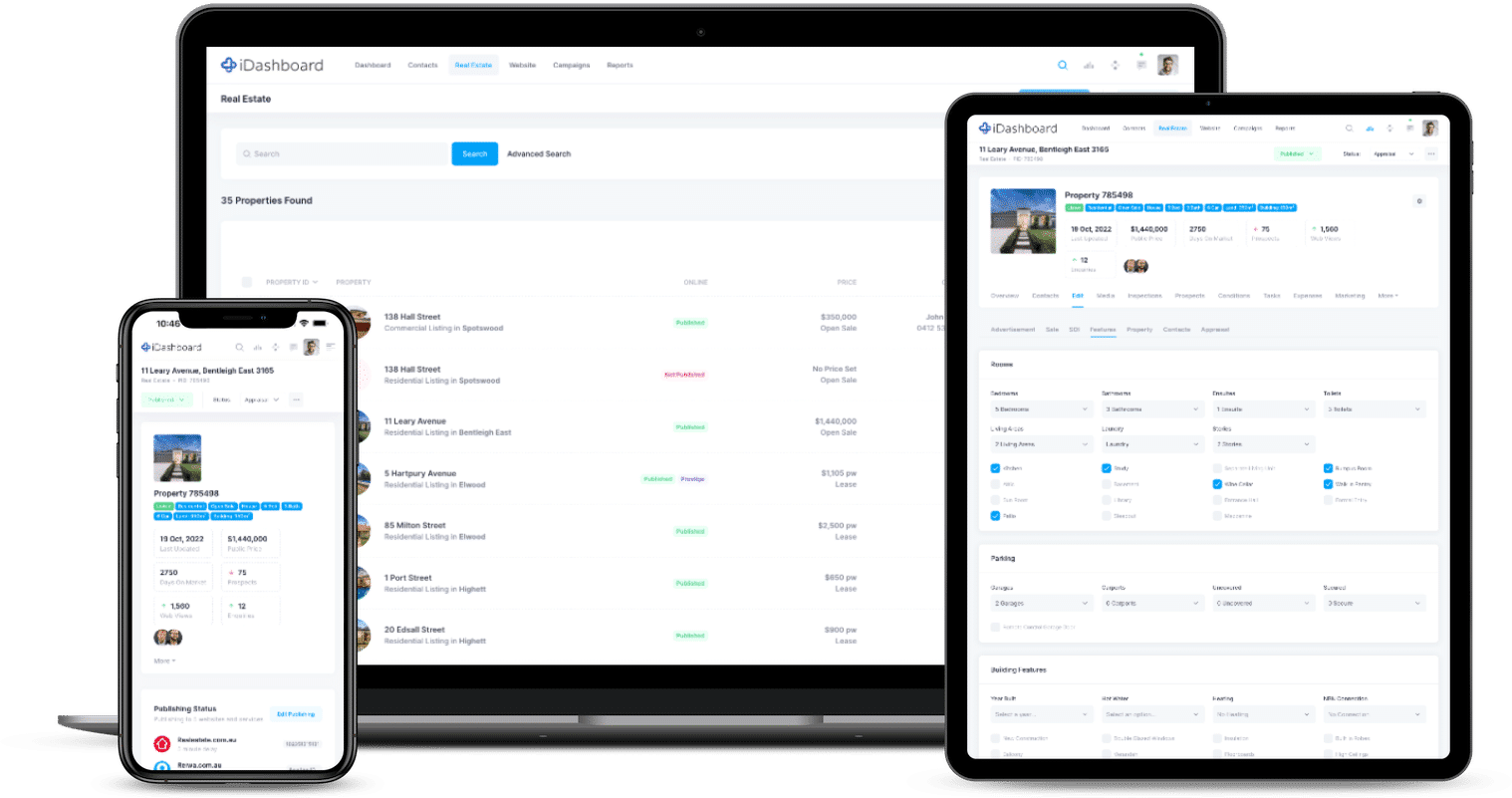
Ready for Project Websites & Integrations
Each project has a simple Published or Not Published switch, separate from its status, so websites show only the projects you choose.
Project details, agents in display order, images and logo, pricing, location, features and linked listings are available through the iDashboard API, with read-only or read/write access.
Connected applications can receive project.create, project.update and project.delete webhooks, and they don't need to be property-publishing applications. That makes it easier to keep a project website up to date.
Frequently Asked Questions
Can we manage projects for several developers?
Yes. Each development is its own project with its own agents, logo, media, documents and history, and the project reports give you a view across your whole portfolio.
Which portals can we upload to?
iDashboard supports 82 websites and portals, including realestate.com.au, Domain, realcommercial.com.au and international portals like Juwai.com and Listglobally.com. See the full list on our Bulk Uploads page.
How do listings get linked to the right realestate.com.au project?
Set each project's realestate.com.au Project ID once, choosing it from your synchronised list of project profiles. Then link listings from the listing or from the project. When a link changes, iDashboard republishes the listing so the portals receive the update.
Can project data feed a project website?
Yes. Projects are available through the iDashboard API, and connected applications can receive project webhooks when a project is created, updated or deleted.
How do we get access to Projects?
Projects is enabled for agencies through iDashboard's feature management. Get in touch with our team on 1800 432 742 and we'll help you get set up.